
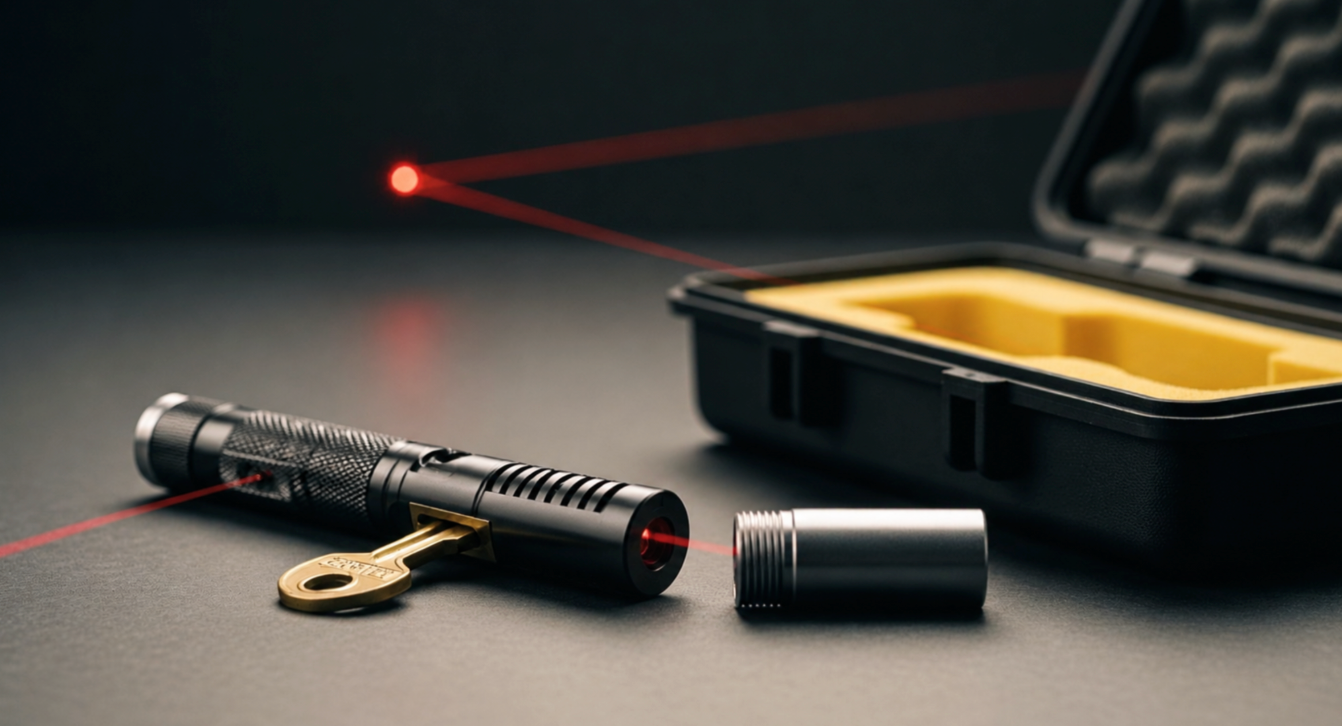
Strong laser pointers need true safety during stargazing, backyard animal control, or science lab work. Heavy aircraft aluminum burning lasers and bright green laser pointers can quickly harm your eyes. Every strong laser pointer must have a laser pointer safety lock. High-power laser pointers require reliable protection, and you can stay safe by using key switches, lockout tail caps, and safe storage. Protect your vision right now.
Key Takeaways
-
A key switch can help prevent unauthorized or accidental activation, but users should still turn the main power off and store the key separately.
-
A tail-cap lockout may disconnect the battery contact on some models, but users should follow the specific product manual rather than assuming every tail cap works the same way.
-
For longer storage or travel, remove batteries when the manufacturer recommends it and keep cells protected from short circuits.
-
A padded case protects optics and switches, but access control is just as important as physical protection.
-
Safety locks reduce accidental activation risk; they do not replace laser class labels, safe beam control, or proper eye-safety practices.
Laser Pointer Safety Lock: Key Switches

Understanding Key Locks and Laser Pointer Features
Strong handheld lasers need solid physical switches to stop accidental firing during active field use. Driver design, such as APC constant-current control, may help stabilize output, but accidental activation is controlled by physical safety features such as switches, caps, and storage routines. These circuit boards control power flow constantly to shield delicate internal diodes from damage. Still, live electronics stay risky if the main power button remains unlocked. A physical safety lock fixes this danger by cutting off the internal power line directly.
A built-in key switch acts as a real break inside the main electrical pathway. A key switch is a physical access-control feature. Depending on the design, it may disconnect the battery path, disable the driver circuit, or prevent the laser output from being activated.
The important point is not the exact internal wiring; it is that the laser should not be easy to activate when the key is removed or turned to the locked position. Pushing the power button does nothing while the switch remains locked. This physical barrier stops accidental bumps from turning on hot burning lasers inside bags, holsters, or pockets. This vital safety feature gives you complete control over your active gear.
Rotary key switches completely break the circuit, stopping power before it hits sensitive APC driver electronics.
Key Management and Circuit Disruption
Smart key control keeps your whole workspace secure during busy outdoor tasks. Key management matters whenever more than one person may be near the laser, such as classrooms, astronomy groups, workshops, or shared storage areas. You must take out the metal key right after powering down your unit. Never leave the key inside an unattended device resting on a tripod or desk. Leaving keys in idle tools creates unnecessary hazards for bystanders and prevents no one from surprise beams.
Following a clear lockout process stops unwanted power use during normal handling:
-
Turn off the main power button.
-
Twist the key switch to the locked position.
-
Pull the physical key out of the body.
-
Keep the key in a different pocket or box.
Many low-output pointer-style products use simple push buttons, while higher-output models may include extra control features such as key switches, safety locks, or tail-cap lockouts. Buyers should check the specific model rather than assuming features by color. Swapping key lock caps with regular non-locking caps removes important built-in safety mechanisms. This switch turns tough green laser pointers into dangerous, open devices. You need to use extreme care during storage if your tool lacks key locks. Always handle every high-power laser carefully to guard your eyes against dangerous beam bounces. Modern laser pointer features pair key locks with heat control and tough bodies for total safety. These heavy-duty safety features protect users in tough jobs, keeping gear safe during everyday travel.
Tail Cap Safety Mechanisms and Power Lockouts
Engaging Mechanical Lockout Tail Caps
Some laser pointers use a mechanical tail-cap lockout. On those models, loosening or rotating the tail cap may break battery contact so the power button cannot activate the laser. The exact amount of rotation depends on the model. Follow the product manual and confirm that the laser cannot activate before placing it in a bag or case. That easy physical movement breaks direct metal contact between cells and internal circuits. Pressing the primary tail-cap button switch cannot power up the system now. You prevent accidental activation inside your jacket pockets or field packs.
This mechanical lockout offers vital protection during rugged long-distance camping trips. Heavy-duty green laser pointers produce intense optical energy that quickly hurts human eyes. Secure all burning lasers before hiking across rough, uneven terrain. Loosening the tail-cap button switch mechanism shuts off battery currents entirely.
Battery Removal and Safety Interlock Plugs
Take out lithium-ion cells completely before long travel or extended storage. For removable lithium-ion cells, protect battery terminals from short circuits and do not store loose cells with keys, coins, or metal tools. Do not use damaged, swollen, leaking, or overheated batteries. Removing power cells avoids corrosion and stops unexpected laser beam activations. This routine keeps your laser hardware ready for tough working conditions.
Industrial research laboratories demand strict remote safety interlock systems. Professional Class 3B or Class 4 laser environments may require additional controls such as controlled areas, warning signs, beam stops, interlocks, written procedures, and a Laser Safety Officer. Those workplace controls are different from the simple key switches and tail-cap lockouts found on handheld laser pointers. Hitting an emergency shutdown button quickly restores complete physical safety across entire work areas.
Protocols for Storing a Safe Laser Pointer
Utilizing Dedicated Protective Cases
A protective case can reduce physical damage and accidental button contact during storage or transport. For higher-output laser pointers, a hard case with padding is usually better than leaving the device loose in a bag.
Restricted Storage in Secured Locations
Store your high-power optical devices and power cells inside separate locked compartments. You protect children and unauthorized users from dangerous optical hazards by controlling access. Remove all lithium cells before locking the storage cabinet.
Professional settings demand strict control protocols for Class 4 hardware. Occupational guidelines highlight clear storage rules:
-
Contact the Laser Safety Officer (LSO) for long-term storage plans.
-
Render the unit inoperable before disposal or long storage.
-
Secure master switches with keys or passwords.
-
Never abandon active optical tools in open areas.
Store laser pointers where children, visitors, and unauthorized users cannot access them. For higher-output models, store the laser, batteries, and keys separately when practical.
Do not leave an assembled laser with batteries installed in an unlocked drawer, backpack, vehicle, or shared workspace.
Taking out the batteries prevents accidental power activation. Unlike basic devices with one power button, high-energy burning lasers require multi-layer control routines. Proper lockouts protect surrounding personnel while keeping your laser pointer safety lock fully engaged.
A laser pointer safety lock is only one part of safe ownership. Key switches, tail-cap lockouts, battery removal, padded cases, and locked storage all reduce accidental activation risk.
Before storing or transporting any Hgyuskl model or other laser pointer, check the product manual, remove access keys when available, protect batteries from short circuits, and keep the device away from children and unauthorized users.
FAQ
Why do higher-output laser pointers need safety locks?
Higher-output laser pointers can create greater exposure risk if they activate unintentionally. A key switch, lockout tail cap, or removable battery adds a layer of control when the device is not in use.
How is a tail-cap lockout different from a normal power button?
A normal button controls normal operation. A tail-cap lockout may physically interrupt battery contact on some models, reducing the chance of accidental activation during storage or transport.
Should you remove batteries before storing a laser pointer?
For long storage, travel, or shared storage areas, removing batteries is often the safer option if the product design allows it. Store loose batteries in a way that prevents short circuits, and do not use damaged or swollen cells.
Share:
650nm red laser pointer vs green: Visibility and Use Cases
445nm vs 450nm Laser Beam Visibility and Performance Differences