
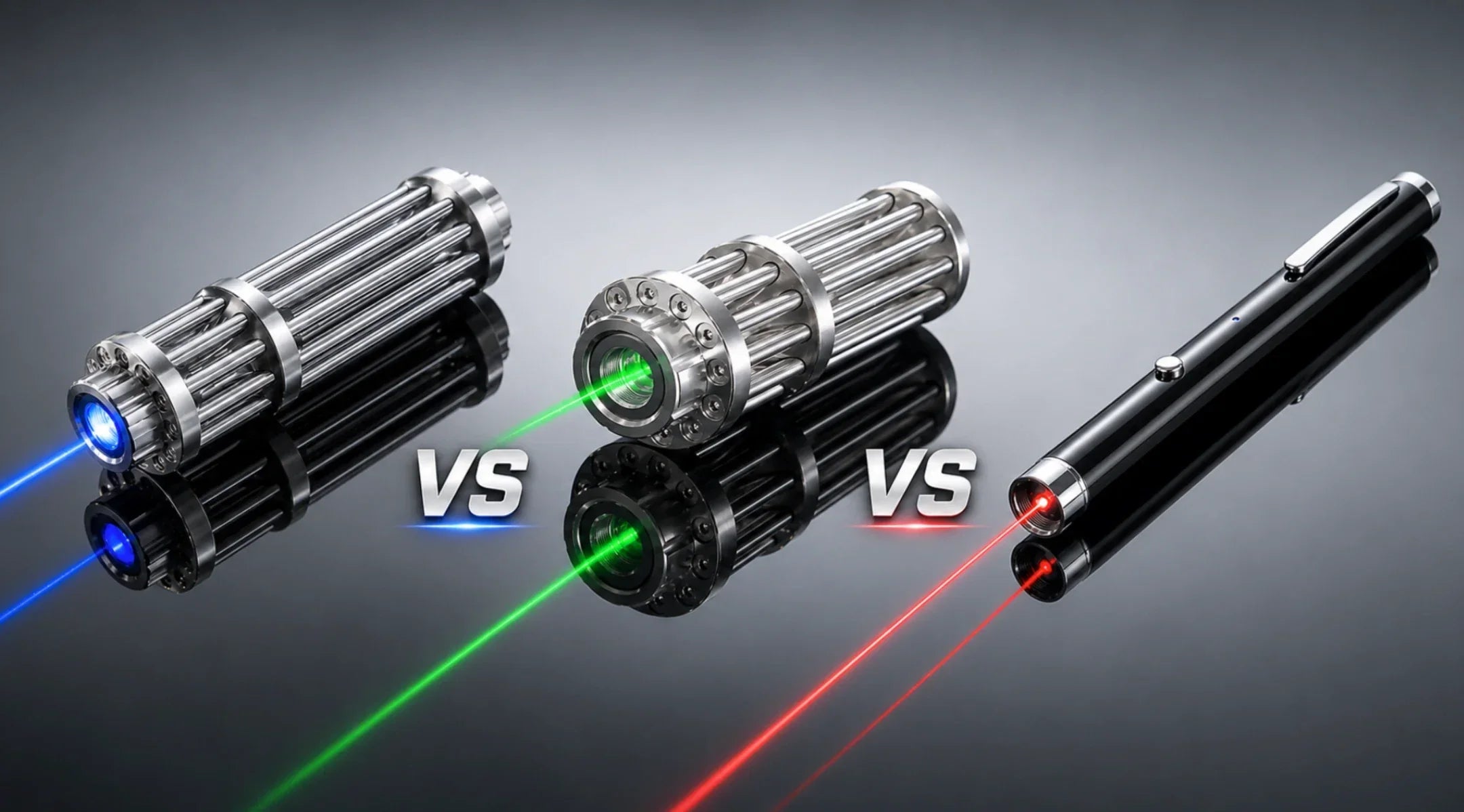
Choosing between green, red, and blue laser pointers depends on your use case, visibility needs, budget, battery life, and safety requirements. Green lasers pointers usually appear brightest to the human eye, especially in low-light outdoor settings. Red lasers pointers are affordable and practical for indoor presentations. Blue lasers pointers are more specialized and are usually better suited for controlled technical or visual applications rather than everyday pointing.
This guide compares green, red, and blue laser pointers by wavelength, visibility, common use cases, price, battery performance, and safety considerations so you can choose the right color responsibly.

Key Takeaways
-
Green laser pointers usually appear brightest to the human eye, making them useful for astronomy-style pointing and low-light outdoor visibility.
-
Red laser pointers are usually the most affordable and practical choice for presentations, classrooms, and indoor pointing.
-
Blue laser pointers are more specialized and should be evaluated carefully for wavelength, power, safety class, and intended use.
-
Laser color affects visibility, but power output, beam divergence, laser class, and safety labeling are just as important.
-
Do not choose a laser pointer based only on brightness or advertised range. Check the wavelength, mW output, laser class, warning labels, and local regulations before buying.
Green Laser Pointers
Visibility
When you look at green, red, and blue laser pointers, green is the easiest to see. Our eyes notice green light better than red or blue, especially at night. Green lasers use light waves around 520nm or 532nm. This matches the part of our eyes that sees best. A green laser looks much brighter than a red one, even if both have the same power. Sometimes, a green laser can look 10 to 50 times brighter than a red laser. You do not need a strong green laser to see the beam. Red or blue lasers need more power to look as bright.
|
Laser Color |
Wavelength (nm) |
Astronomy Visibility |
Buyer Notes |
|
Green |
520 / 532 |
Most visible choice for night sky pointing |
Best balance of visibility and low-power use at 5mW or below |
|
Red |
635 / 650 |
Less visible as a sky-pointing beam |
Preserves night vision, but harder for groups to follow |
|
Blue |
445 / 450 |
Can be visible, but less efficient for astronomy |
Not the first choice for public stargazing |
Use Cases
Common green laser pointer use cases include:
-
Astronomy-style pointing in controlled stargazing settings.
-
Low-light outdoor visibility where local rules allow.
-
Presentations or demonstrations where a brighter beam is helpful.
-
Educational use by responsible adults.
Avoid using green laser pointers for emergency signaling, animal deterrence, public crowd pointin
Pros & Cons
|
Laser Color |
Advantages |
Disadvantages |
|
Green |
High perceived brightness; strong low-light visibility; useful for astronomy-style pointing |
Usually more expensive than red; may use more battery; requires careful safety control |
|
Red |
Affordable; long battery life; practical indoors |
Less visible outdoors; beam is harder to follow in the night sky |
|
Blue |
Distinct color; useful for specialized visual or technical applications |
Distinct color; useful for specialized visual or technical applications |
-
Green lasers are easier for people to see than red or blue ones. -
Our eyes see green as brighter, even if the power is low.
-
Green lasers might use more battery because they are so bright.
Best Use
Pick a green laser pointer if you want the brightest beam outside or for looking at stars. Hgyuskl’s green lasers use 520nm direct green diodes. They have strong aluminum bodies and special current drives. These parts make the beam steady and bright. The tool is tough and works well for hard jobs.
Choose a green laser pointer if your priority is visible beam performance in low-light conditions, especially for responsible astronomy-style pointing or guided demonstrations. Do not choose green simply because it looks brighter; check the output power, wavelength, laser class, and safety label before buying.
Red Laser Pointers

Visibility
Red laser pointers are not as easy to see as green ones. Your eyes do not see red light as well as green. Inside a room, you can see a red laser for about 10 to 20 meters. Outside, the red beam gets weak and hard to see. The table below shows how red and green lasers compare:
|
Laser Color |
Indoor Visibility Range |
Outdoor Visibility |
Brightness Perception |
|
Red |
10–20 m |
Low |
24% as bright as 555 nm light |
|
Green |
30–45 m |
Moderate to High |
88% as bright as 555 nm light |
Red laser pointers work well inside, like in classrooms or offices. They use less power, so the battery lasts longer.
Tip: If you want a laser pointer for outside or for looking at stars, green is usually better.
Use Cases
Red laser pointers are good for many simple jobs. You can use them for:
-
Presentations: Show important parts on slides so people can see.
-
Lectures: Point to details on charts or boards during class.
-
Basic indoor alignment or demonstrations: Red laser pointers can help with simple visual pointing tasks in controlled indoor settings.
You see red lasers a lot in schools, meetings, and training. Their soft brightness does not bother people or make them lose focus.
Pros & Cons
|
Performance Metric |
Red Laser |
Green Laser |
|
Indoor visibility |
Good |
Excellent |
|
Outdoor visibility |
Low |
Moderate–High |
|
Power use |
Lower |
Slightly higher |
|
Battery life |
Longer |
Shorter |
|
Price |
Budget-friendly |
Higher cost |
Red laser pointers cost less than green ones. You save money and the battery lasts longer. The beam is not as bright, but it works for most things inside.
Best Use
Pick a red laser pointer if you need a tool for presentations, classes, or indoor jobs. Hgyuskl’s red laser pointers are made with strong aluminum and APC drivers. These parts give you a safe and steady beam that follows safety rules. You get real power and a tool that lasts a long time. Hgyuskl is a smart pick for schools, offices, and labs. If you want a cheap, useful, and trustworthy laser pointer, red is the best choice.
Blue Laser Pointers
Visibility
Blue laser pointers are known for being strong and powerful. You can see blue beams best in dark rooms or at dusk. When you compare green, red, and blue laser pointers, blue lasers do not look as bright as green ones. But they look stronger than red lasers. Blue lasers usually use light around 445 nm or 450 nm. You can see the beam well when it is dark, but it does not shine as far as green lasers with the same power.
|
Laser Color |
Power (mW) |
Glare Distance (feet) |
|
Red |
1 |
255 |
|
Green |
1 |
490 |
|
Blue |
1 |
Shorter than Green |
Note: You must be careful with blue lasers. They are very strong and can be dangerous if not used safely.
Use Cases
People use blue laser pointers in labs and special jobs. These tools are good for:
-
Science tests in physics or chemistry labs
-
DIY science projects like checking glowing things
-
Lining up machines or doing careful work in factories
-
Specialized visual or technical tasks in controlled environments where the product’s wavelength, output power, laser class, and safety requirements are clearly understood
Hgyuskl’s blue lasers have real high power and steady light. They work well for hard science jobs. You can learn more about Hgyuskl’s blue lasers for research and testing here.
Pros & Cons
Blue laser pointers have good and bad sides. The table shows the main points:
|
Pros |
Cons |
|
Easy to see in dark or at dusk |
You must follow strict safety rules |
|
Useful for specialized visual effects or technical applications when proper safety controls are in place |
They get hot and need cooling |
|
Light stays steady for science work |
Some rules about owning them are not clear |
|
Work with special blue safety glasses |
Can be hard to keep the beam lined up |
Tip: Always wear safety glasses when using strong blue lasers.
Best Use
Choose a blue laser only if your use case specifically requires a blue wavelength and you can meet the product’s safety requirements. For general pointing, presentations, or astronomy, red or green is usually more appropriate. You can see the beam pretty well in dark places. Blue lasers cost more than red or green ones, but they have special features. Hgyuskl’s blue lasers use strong aluminum and steady power parts. They last a long time and work well. If you want a laser for science, testing, or special jobs, blue is the best choice.
Green vs Red vs Blue Laser Pointer Comparison
It can be hard to pick the right laser pointer. Green, red, and blue each have their own strengths. You want to find the one that fits your needs. This section shows you how they compare in visibility, battery life, cost, and where they work best. You will also learn how Hgyuskl’s strong build and real specs help people who use lasers outside or for work.
Key Features
The table below lets you compare the main features of each color. It helps you see the differences quickly.
|
Color |
Common Wavelengths |
Visibility |
Common Buyer Fit |
Buyer Notes |
|
Green |
520nm / 532nm |
Usually the most visible to the human eye, especially in low light |
Astronomy-style pointing, demonstrations, outdoor low-light visibility |
Astronomy-style pointing, demonstrations, outdoor low-light visibility |
|
Red |
635nm / 650nm |
Less visible as a beam, but practical indoors |
Presentations, classrooms, indoor pointing |
Affordable, efficient, and usually longer battery life |
|
Blue |
445nm / 450nm |
Distinct color; often less efficient than green for beam visibility |
Specialized visual or technical use |
Specialized visual or technical use |
Green lasers are the easiest to see. Your eyes notice green light much more than red or blue. With the same power, green lasers look much brighter than red ones. You do not need a strong green laser to see the beam well. Hgyuskl uses 520nm green diodes for a steady and bright beam. These lasers work well outside and for astronomy.
Red lasers last longer and cost less. You can use them for many hours in class or meetings. Hgyuskl’s red lasers use tough aluminum and APC drives. This makes them safe and strong. You get a tool you can trust for daily use.
Blue lasers are very powerful and have strong beams. You see blue beams best in dark rooms or labs. Hgyuskl’s blue lasers use good parts for steady light. These lasers are great for science, testing, and special jobs.
Tip: Pick green for the brightest beam outside or for astronomy. Choose red if you want a cheap tool for presentations. Use blue for lab work or technical jobs when you need power and focus.
Best Use Cases
You can match each laser pointer color to the right job. The table below shows where each color works best.
|
Laser Color |
Best-Fit Use Cases |
Main Advantage |
Caution |
|
Green |
Astronomy-style pointing, guided demonstrations, low-light visibility |
Highest perceived brightness |
Avoid aircraft, vehicles, people, animals, and reflective surfaces |
|
Red |
Presentations, classrooms, indoor pointing |
Affordable and efficient |
Affordable and efficient |
|
Blue |
Specialized visual or technical applications |
Distinct wavelength and visual effect |
Requires careful review of class, power, and protective requirements |
-
Use a green laser pointer for controlled stargazing or guided demonstrations where local rules allow. Do not use it as an emergency signal or general long-range outdoor pointing tool. -
Pick a red laser pointer for teaching, meetings, or easy indoor tasks. You get a safe and steady beam that lasts a long time. Hgyuskl’s red lasers give you real power and strong build.
-
Choose a blue laser pointer for science labs, testing, or lining up machines. The beam is powerful and accurate. Hgyuskl’s blue lasers give steady, true high power for hard jobs.
When you compare green, red, and blue laser pointers, think about where and how you will use your tool. Hgyuskl has good options in every color, so you get real performance and lasting quality.
How to Choose
Picking between green, red, or blue laser pointers depends on what you need. Think about where you will use it. Start by defining the environment and task. Are you using the pointer indoors for presentations, outdoors for controlled stargazing, or in a technical setting with formal safety controls? The right color depends on visibility needs, wavelength, output power, battery life, budget, laser class, and local regulations.
Define Your Use
First, think about how you will use your laser pointer.
-
If you like astronomy, you need a bright beam you can see.
-
For outdoor survival or wildlife control, you want a tough, waterproof tool.
-
Lab and factory work need lasers that are steady and exact.
-
For talks or class, you want a beam that is easy to see inside.
Experts say you should pick the right power and color for your job, not just what ads say.
Consider Visibility
How well you see the beam is important for outside and astronomy.
-
Green lasers are much brighter than red ones with the same power.
-
Red lasers are good inside but hard to see outside.
-
Blue lasers work best in labs but do not shine far.
|
Laser Color |
Visibility in Daylight |
Suitability for Use Cases |
|
Green |
Most visible |
Outdoor, astronomy, education |
|
Red |
Legible indoors |
Presentations, classrooms |
|
Blue |
Fades quickly |
Lab, technical work |
Green lasers help you show stars and far away things at night.
Safety & Regulations
Safety and rules are important for everyone.
-
Many places have rules about how strong lasers can be, especially blue and green ones.
-
Always check the laws where you live before you buy or use a laser pointer.
-
Never point a laser at people or planes.
“Pointing a laser at a plane is dangerous for pilots and can get you in trouble.”
|
Safety Factor |
What Buyers Should Know |
|
Laser color |
Color affects perceived brightness, but it does not determine safety by itself |
|
Output power |
Higher mW generally increases eye-safety risk and legal restrictions |
|
Laser class |
Class 2, 3R, 3B, and 4 indicate different risk levels and control requirements |
|
Use environment |
Public, outdoor, vehicle, aircraft, animal, and reflective-surface risks must be avoided |
|
Labeling |
Check wavelength, output power, laser class, warning labels, and manufacturer information |
Price & Availability
How much a laser costs and how easy it is to find matters too.
In general, red laser pointers are often the most affordable. Green laser pointers usually cost more because of their higher perceived visibility and optical design. Blue laser pointers can vary widely in price depending on wavelength, output power, build quality, and intended use.
Choose green for controlled low-light visibility and astronomy-style pointing, red for indoor presentations, and blue only for specialized applications where the wavelength is specifically needed.
Make Your Choice
Pick the laser pointer that works best for you.
-
Get green for outside, looking at stars, or scaring animals away.
-
Pick red for talks and class.
-
Use blue for science labs or special work.
Hgyuskl’s laser pointers are strong, tough, and give real power. You can trust them for hard jobs. Find out more about Hgyuskl’s green, red, and blue laser pointers here.
When you look at green, red, and blue laser pointers, each color is best for certain jobs.
-
Green is great for outside, astronomy, and pointing far away. Green lasers can be much brighter than red ones with the same power.
-
Red is good for talks and classrooms. Red lasers cost less and use less battery.
-
Blue works well in labs and for technical jobs where you need strong power.
For most pointer-style uses, lower-power products such as Class 2 or Class 3R models are usually more appropriate when local laws allow. Products above 5mW may fall into higher hazard classes and should not be treated as casual laser pointers.
Hgyuskl gives you real specs and high quality. Get a laser pointer that fits your needs and makes your work better.
FAQ
What is the main difference between green, red, and blue laser pointers?
You see the biggest difference in brightness and use. Green vs red vs blue laser pointer models offer different visibility. Green shines brightest outdoors. Red works best indoors. Blue gives you true high power for labs and special projects.
Are green laser pointers safe for astronomy?
Yes, you can use green laser pointers safely for astronomy. Always keep the beam away from eyes and planes. Choose models under 5 mW for public stargazing. Wear safety glasses if you use higher power.
Why do blue laser pointers cost more?
Blue laser pointers use advanced parts and true high power. You pay more for their strong beam and special uses in labs. These tools need extra safety features and better cooling.
Which laser pointer color lasts longest on one battery?
Red laser pointers usually last the longest. They use less power than green or blue. You can use them for many hours in class or meetings without changing batteries.
Can I use a laser pointer for wildlife control?
Wildlife or bird-deterrent use requires separate legal, safety, and humane-use review. Do not assume a general green, red, or blue laser pointer is appropriate for animal deterrence. Check local wildlife rules, protected-species regulations, and product suitability before considering any laser-based deterrent method.
Share:
Laser Pointer Safety Classes Explained: Class 2, 3R, 3B, and Class 4
What Does “Avoid Exposure to Beam” Mean on a Laser Pointer?