
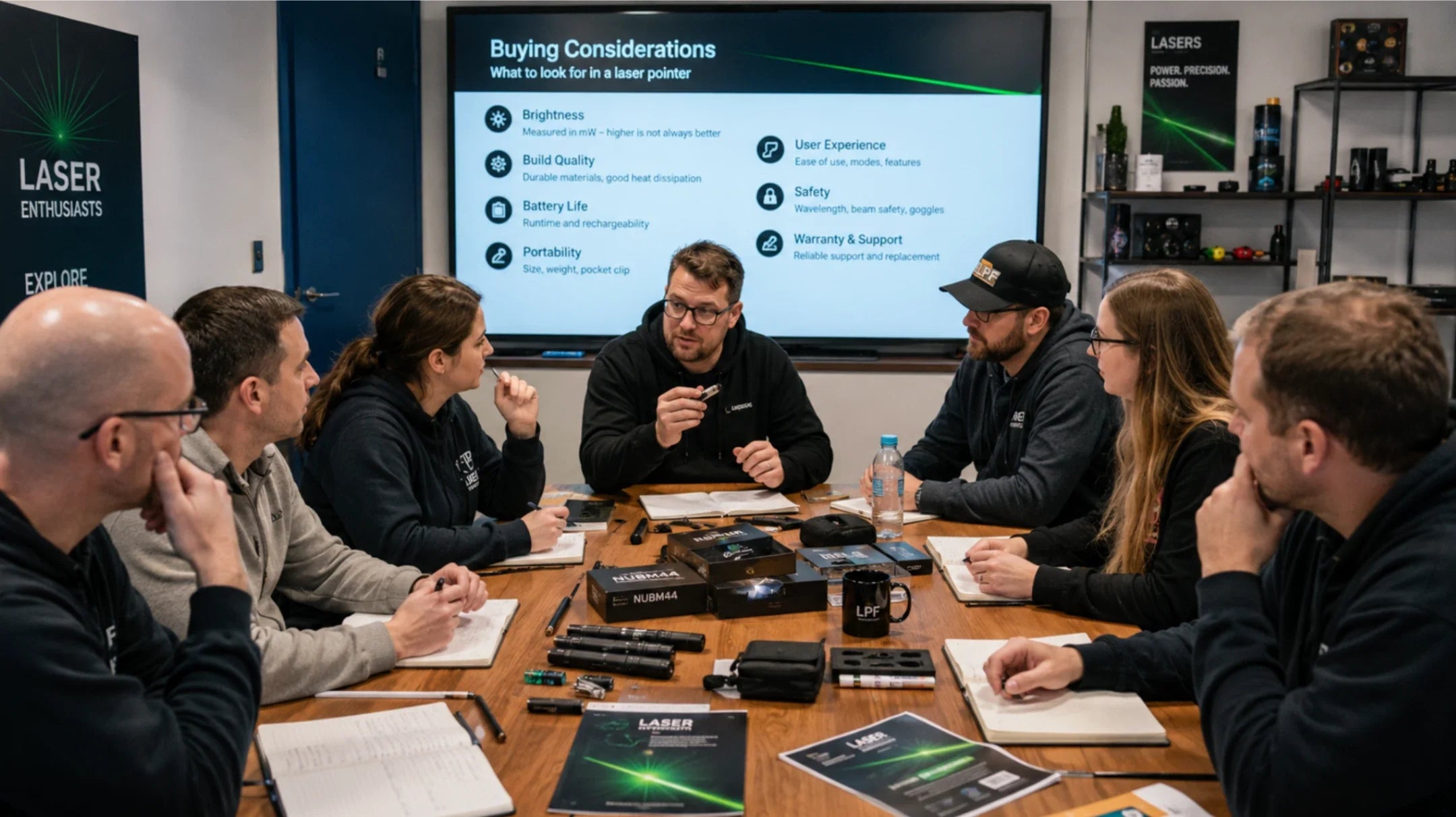
When choosing a green laser pointer, the most important factors are output power, wavelength, beam visibility, safety features, and legal suitability for your intended use. Green laser pointers are popular because the human eye is highly sensitive to green wavelengths, especially around 520nm–532nm, which makes the beam easier to see in dark or low-light conditions.
This buying guide explains how to compare green laser pointers by power level, visibility, wavelength, beam quality, safety labeling, battery performance, and responsible-use requirements, so you can choose the right model without relying on exaggerated brightness or distance claims.
Key Takeaways
-
Choose the lowest output power that can safely meet your purpose. For presentations and basic pointing, 1mW–3mW is often enough. For astronomy-style pointing, 5mW or below is usually the more responsible choice when local laws allow it.
-
Green wavelengths around 520nm–532nm usually appear brighter to the human eye than red or blue wavelengths, especially in dark or low-light environments.
-
Higher output power does not automatically mean a better green laser pointer. It also increases eye-safety risks, legal restrictions, and misuse concerns.
-
Check the product’s output power, wavelength, laser class, warning labels, manufacturer information, and safety instructions before buying.
-
Buy from sellers that provide clear specifications and responsible-use guidance, not just exaggerated distance or brightness claims.
Green Laser Pointer Basics
How Green Lasers Work
You see a green laser pointer as a bright, steady beam.
Green laser pointers commonly use one of two technologies: 532nm DPSS green laser technology or 520nm direct-diode green laser technology.
A 532nm DPSS green laser usually starts with an infrared diode, converts the light through internal crystals, and produces visible green output. Because this process can involve invisible infrared light, an effective IR filter is important for safety.
A 520nm direct-diode green laser produces green light more directly from the diode. It has a simpler optical path and does not rely on the same frequency-doubling process as many 532nm DPSS models.
For buyers, the key point is not only the wavelength. You should also check output power, laser class, beam stability, safety labeling, and whether the product clearly explains its technology.
This process makes the beam stable and powerful. You can rely on this technology for consistent performance in many situations.
Tip: If you want a green laser pointer that works well outdoors or in labs, choose models with direct green diodes and professional-grade components.
Why Choose Green Over Other Colors
You notice green lasers more easily than red or blue ones. Your eyes have peak sensitivity to green wavelengths. This means you see green beams as brighter, even at lower power levels. Green lasers usually appear much brighter than red lasers at the same output power because the human eye is more sensitive to green wavelengths. However, visible brightness does not always reflect the actual hazard level, so buyers should still check the output power, laser class, wavelength, and safety label.
-
Green lasers are more visible to the human eye compared to red or blue lasers.
-
The human eye has peak sensitivity to green light wavelengths.
-
Red lasers can fade out in dark conditions, while blue lasers may appear dim.
You benefit from using a green laser pointer for astronomy, outdoor activities, and presentations. The beam stands out in daylight and nighttime. You make your tasks easier and safer with better visibility.
Buying Factors
Power and Output
When you pick a green laser pointer, look at its power. Power tells you how bright the beam is and how far it goes. This guide explains what power level you need.
-
1mW laser pointers are good for inside use. You can use them for presentations or in class. These lasers are bright enough for most indoor jobs. They are safe if you use them the right way.
-
For astronomy-style pointing, a green laser pointer with 5mW or below is usually the more responsible choice when local laws allow it. Green wavelengths are highly visible at night, so buyers should not assume that higher power is necessary for basic stargazing or constellation pointing.
-
Lasers over 5mW are not for everyday use. These strong lasers can hurt your eyes fast or burn things. Many countries have rules or bans on selling them to regular people.
You should always check the class rating of your laser. Class 2 lasers (≤1mW) are safe for daily use. Your eyes blink fast to protect you from quick flashes. Class 3R lasers (1–5mW) are allowed for most people in many places. You still need to be careful with them. Higher classes, like Class 3B and Class 4, are only for experts or special jobs.
If you use more power, the green laser is easier to see. This helps in dark or foggy places. But more power also means more danger for your eyes. You must think about both brightness and safety.
Tip: Use the lowest power that works for you. This keeps you safe and follows the law.
Visibility and Wavelength
Visibility is a big reason people pick a green laser. Your eyes see green light best, especially at 532 nm. This means green beams look brighter than other colors, even if the power is the same.
|
Wavelength |
Buyer Meaning |
Typical Notes |
|
520nm green |
Direct-diode green option |
Often offers stable green output with a simpler optical design |
|
532nm green |
Common DPSS green option |
Highly visible, but buyers should check for effective IR filtering |
|
650nm red |
Common red pointer wavelength |
Usually less visible as a beam outdoors than green at the same power |
|
445nm / 450nm blue |
Common blue laser wavelength |
Can be bright on surfaces, but is usually not the first choice for general green-laser buying needs |
A green laser at 532 nm gives you the best visibility. This is why green laser pointers are often chosen for controlled night-sky pointing, indoor demonstrations, and other situations where a visible beam is useful and safe to operate.
Note: Light gets weaker as you move away from the source. In clear weather, you can see the beam far away. Bad weather or bright light makes it harder to see.
Safety Considerations
Safety is very important when you use a laser pointer. Even weak lasers can hurt you if you use them wrong. Never point a laser at people or animals. Do not aim at shiny things, because the beam can bounce back and hurt your eyes.
-
Use the lowest power you need.
-
Keep laser pointers away from kids. They are not toys.
-
Store your laser pointer safely. Take out the batteries when you are not using it.
-
For higher-class or professional laser use, choose protective eyewear that is rated for the specific wavelength and output power of the laser. Do not rely on generic safety glasses unless they clearly match the laser’s wavelength and required optical density.
-
Only use Class 3B or Class 4 lasers if you are trained and in a safe place.
You should know the rules in your country. In the United States, laser products promoted for pointing or demonstration purposes are generally limited to Class IIIa / IEC Class 3R levels, which means 5mW or below in the visible wavelength range. Lasers above 5mW may fall into higher hazard classes and may not be legal for general pointer or demonstration use.
The European Union, Canada, and Australia have strict rules too. Always check the law before you buy or use a strong laser.
Alert: Never look into a laser beam or point it at a crowd. Even a quick look can hurt your eyes or cause an accident.
This guide helps you make smart choices about power, visibility, and safety. If you follow these tips, you keep yourself and others safe and get the best use from your green laser pointer.
Power Levels and Applications

Astronomy and Stargazing
You need the right green laser pointer for astronomy. Green light is easy to see at night. A beam with at least 5 mW power stands out in the sky. Hgyuskl makes strong models with direct green diodes. They use tough aviation aluminum casings. These features help you point at stars and constellations. The APC constant current drive keeps the beam bright. It works well even when it is cold.
-
Green lasers are great for astronomy because they are easy to see.
-
Pick a model with an IR filter to stay safe.
-
Lasers above 5mW create significantly higher eye-safety risks and may not be legal for general pointer use in some markets.
Outdoor and Survival Uses
Some buyers choose green laser pointers because green beams are easier to see in dark outdoor conditions. However, a green laser pointer should not be treated as an emergency signal, toy, or general long-range pointing tool.
Never direct a laser toward aircraft, vehicles, people, animals, reflective surfaces, roads, or public spaces. If you need an emergency signaling device, use equipment specifically designed and approved for that purpose.
Wildlife Control
Wildlife and bird-deterrent applications require separate safety, legal, and humane-use considerations. Do not treat a general green laser pointer buying guide as a complete wildlife-control instruction. If this is your intended use, check local regulations and choose equipment designed for that specific purpose.
Weather and light change how well the laser works. Nighttime use gives the best results.
-
Bright green lasers work well to scare birds.
-
Use strong, good lasers for best results.
-
Always follow local rules and use lasers carefully.
Lab and Industrial Use
Laboratory, industrial, construction, or surveying applications should not rely on ordinary handheld pointers unless the product is specifically designed for that controlled use. Higher-class lasers require appropriate training, protective eyewear, controlled beam paths, and workplace safety procedures.
The aviation aluminum casing keeps the device safe. The APC constant current drive gives steady output. These lasers are good for science and industrial jobs.
|
Application Scenario |
Suggested Power Direction |
Notes |
|
Astronomy and stargazing |
5mW or below when local laws allow |
520nm or 532nm green light can be visible at night; 532nm DPSS models should have effective IR filtering |
|
Classroom presentations |
1mW–3mW |
Lower power is usually enough for indoor screens and close-range pointing |
|
Controlled technical use |
Depends on equipment and safety plan |
Depends on equipment and safety plan | Higher-class lasers require training, protective eyewear, controlled beam paths, and formal safety procedures |
Tip: Pick a green laser pointer with real high power and strong build for hard jobs. Hgyuskl gives you reliable performance every time.
Visibility and Environmental Factors
Daytime vs. Nighttime Use
You will see a big change in how well you can see a green laser pointer during the day and at night. Sunlight is very bright and can make the beam hard to see. The strong light from the sun makes the green color fade. Sometimes, you cannot see the beam at all in the daytime. The range of the beam gets shorter, and you may only see a small dot where the beam hits.
At night, things are different. When it is dark, the green beam is easy to see. You can watch the green line go across the sky or a field. The beam looks brighter and goes farther in the dark. This is why green laser pointers are usually more visible at night or in low-light environments. For buyers, this means you should choose a model based on your actual use case, not simply the highest advertised power.
-
Bright places make the beam hard to see.
-
Dark places make the beam stand out and easy to spot.
-
You cannot see the beam as far in the day, but you can see it much farther at night.
Tip: For the best results, use your green laser pointer when it is dark or at night.
Comparing Green to Red and Blue Lasers
You might want to know how green, red, and blue lasers are different when you use them. Green lasers are the easiest for people to see. You can see the green beam clearly, even if the power is not high. Red lasers cost less money and are good for simple jobs, but they are not as easy to see in bright or dark places. Blue lasers are good for focusing on shiny or hard surfaces. People use blue lasers for special work like engraving.
Here is a quick chart to compare:
|
Laser Color |
Visibility |
Common Buyer Use Cases |
Notes |
|
Green |
Very high in low light |
Astronomy-style pointing, demonstrations, outdoor visibility |
Best balance of beam visibility and lower-power use |
|
Red |
Moderate |
Presentations, classrooms, basic pointing |
Lower cost, but less visible as a beam outdoors |
|
Blue |
Often bright on surfaces |
Specialty use cases, visual effects, technical applications |
Not usually the first choice for general green-laser buyers |
You should pick a green laser pointer if you want the brightest and clearest beam for outside or nighttime use. Red and blue lasers are good for some things, but green is best when you need to see the beam very well.
Safety and Legal Guidelines

Eye Safety and Usage Rules
You need to keep your eyes safe when using a green laser pointer. Even a quick flash can hurt your eyes. Always follow these simple rules to stay safe:
-
Do not point the green laser pointer at anyone’s eyes or sensitive spots.
-
Stop the laser beam from bouncing into someone’s eyes.
-
Keep the device away from kids.
-
Use the lowest power you need for your task.
-
Put your pointer in a safe spot when you are not using it.
Remember: You are in charge of safety. Using the laser carefully stops accidents and injuries.
Legal Power Limits
Countries have strict rules about how strong green laser pointers can be. You must know these rules before you buy or use one. Governments make these limits to keep people safe and stop misuse.
Laser pointer laws vary by country, state, and local area. In the United States, laser products promoted for pointing or demonstration purposes are generally limited to Class IIIa / IEC Class 3R, which means 5mW or below in the visible wavelength range.
Before buying or using a green laser pointer, check your local laws, product labels, laser class, and safety instructions. Never point a laser at aircraft, vehicles, people, animals, or reflective surfaces.
You should check your local laws and rules. If you travel, make sure your device follows the law. Following these rules helps you avoid trouble and keeps everyone safe.
Buying Guide for Green Laser Pointers
Evaluating Brands and Authenticity
When you want to buy a green laser pointer, pick brands that are honest. Good brands like Hgyuskl do not lie about what their lasers can do. They give you real power and strong parts. You should check if the laser has true output and safe features. Look at the table below to compare brands:
|
Criteria |
What to Look For |
|
Verified Output Power |
Test reports, IEC 60825-1 compliance, not just labels |
|
Beam Divergence |
≤1.2 mrad for accurate pointing |
|
Runtime Consistency |
Output stays bright after 60 seconds |
|
Power Source & Cycle Life |
USB-rechargeable Li-ion or CR123A, user-replaceable |
|
Compliance Information |
Look for output power, wavelength, laser class, warning labels, manufacturer identification, safety instructions, and applicable compliance statements for your market |
|
Beam Quality |
Clean dot (TEM₀₀), stable output, correct wavelength |
|
Red Flags |
Exaggerated claims, missing safety info, unclear wavelength |
Avoiding Common Pitfalls
Many people make mistakes when buying green laser pointers. This guide helps you not make those mistakes:
-
Do not trust high Amazon ratings by themselves. Some reviews do not talk about safety.
-
Rechargeable batteries do not always mean the laser is safer.
-
Always check the wavelength. Some lasers say "532nm" but are not really that.
Always read the whole product description and look for test results.
Budget vs. Quality
You may want to spend less money, but quality is important. More expensive green laser pointers have better parts and more features. You get what you pay for.
When comparing Hgyuskl models or any other green laser pointer brand, look for clear specifications, durable housing, stable output, realistic power claims, and safety information rather than choosing only by price or advertised brightness.
Pick a green laser pointer that fits your needs and budget, but always choose safety and good quality.
When picking a green laser pointer, think about power, visibility, and safety. Make sure the output is real and strong. The beam should stay narrow and not spread out. IR filters help keep you safe. Look at this table for important features:
|
Key Feature |
Importance |
|
Actual output power |
Check test reports to make sure it is true |
|
Divergence |
Should be 2.4 mrad or less for a clear beam |
|
IR filter confirmation |
Needed to protect your eyes |
You must follow the law when using lasers. Lasers stronger than 5 mW can be dangerous and may need to be registered. A good green laser pointer should match your intended use, local regulations, and safety requirements. Choose a model with clear specifications, realistic output claims, appropriate safety features, and durable construction. Hgyuskl can be considered alongside other brands, but the final decision should be based on verified specs and responsible-use needs.
FAQ
How do you choose the right power level for a green laser pointer?
You should pick the lowest power that meets your needs. For presentations and indoor pointing, 1mW–3mW is usually enough. For astronomy-style pointing, 5mW or below is usually the more responsible choice when local laws allow it. Higher-power lasers should only be used in controlled professional environments with proper safety procedures.
Can you see a green laser pointer beam during the day?
You can see the beam best at night. Sunlight makes the beam fade. In daylight, you may only see the dot where the beam hits. For outdoor use, choose a high-visibility model.
Are green laser pointers safe for kids?
No. Green laser pointers should not be treated as toys. Keep them away from children, remove batteries when appropriate, and store them securely. Even lower-power lasers can create eye-safety risks if misused.
What certifications should you check before buying?
Look for output power, wavelength, laser class, warning labels, manufacturer identification, user instructions, and applicable compliance statements. Standards such as IEC 60825-1 or regional compliance information can be useful, but buyers should still verify the actual specifications and local legal requirements.
Why do you need an IR filter in a green laser pointer?
An IR filter blocks invisible infrared light. You protect your eyes from hidden beams. An IR filter is especially important for many 532nm DPSS green lasers because invisible infrared leakage can create additional safety risks. For 520nm direct-diode green lasers, the design is different, but buyers should still check the product’s safety information, output power, and laser class.
Share:
Best Green Laser Pointer for Astronomy: Safe Stargazing Buyer’s Guide
High Power Laser Pointer Guide: Power Classes, Use Cases, and Safety Before Buying